Live streaming is achieved at an event by combining high-quality camera and sound equipment, a stable internet connection, and a suitable streaming platform. The key to a successful live broadcast at an event is careful advance planning and technical expertise, as mistakes cannot be corrected afterwards like they can with a recording. In the following sections, we will go through all the essential steps, from equipment to budget.
What equipment is required for live streaming at a public event?
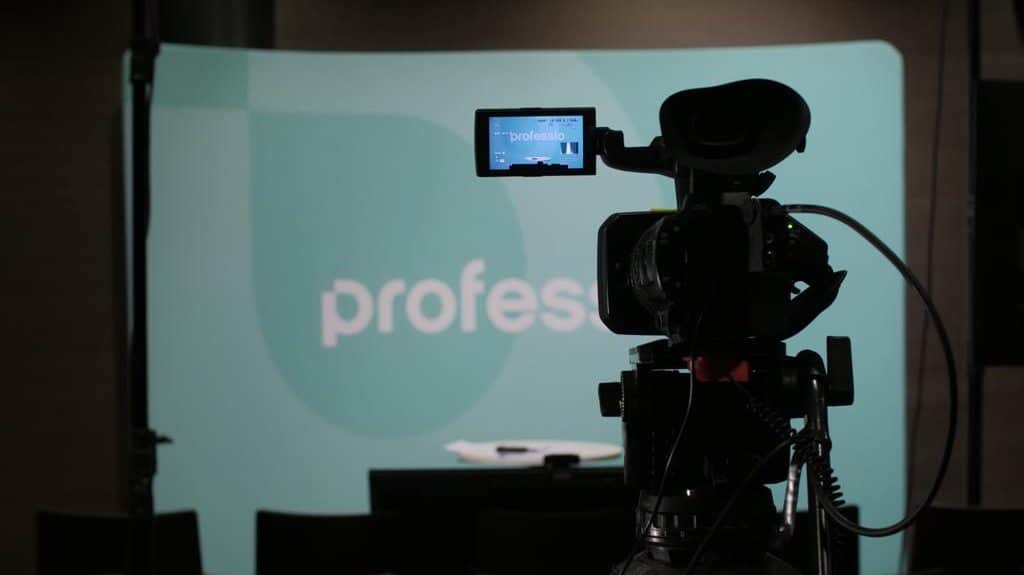
Live streaming at a public event requires at least one video camera, microphone or audio mixer, a computer running streaming software, and a video encoder or streaming box. Larger events require multiple cameras, a video switcher, and a separate sound desk to ensure professional-quality broadcasts.
In practice, the equipment configuration scales according to the size and objectives of the event. A small seminar can be done with one fixed camera and simple audio connection. A large public event or concert-type event requires multiple camera angles, a steadicam operator or camera crane, and a professional sound system.
The main hardware components are:
- Cameras: At least one, preferably more for different angles
- Video mixer: Allows switching between angles in real time
- Soundboard and microphones: Clear sound is even more important than a sharp picture
- Encoder or streaming box: Converts video signal to a format suitable for the internet
- Cabling and backup equipment: It's always a good idea to duplicate critical parts.
How does internet connection affect streaming success?
Internet connectivity is the single most important factor for live streaming at an event venue. An inadequate or unstable connection will directly lead to stuttering, buffering, or the entire broadcast being interrupted. Event streaming typically requires a stable transmission speed of at least 10 Mbps, but 20 Mbps or more is recommended for high-quality HD or 4K broadcasts.
It is always a good idea to check in advance whether a wired broadband connection is available at the venue. A wired ethernet connection is clearly more reliable than Wi-Fi, which can easily become congested when large numbers of people use the same network. For outdoor events or places without a wired connection, 4G or 5G mobile connections can be used, but even then it is wise to get multiple SIM cards from different operators and combine them into one stable connection with a bonding device.
It is always a good idea to test the network connection at the event location well in advance of the broadcast, preferably at the same time as the event itself, so that the network load reflects the actual situation.
Which streaming platform should you use for a public event?
The choice of streaming platform depends on the target audience, the nature of the event, and whether you want the broadcast to be public or limited to invited guests. YouTube Live and Facebook Live are well suited for public events where a large audience is targeted. For closed corporate events, better options include Vimeo Livestream, Microsoft Teams, or Zoom Webinar, which allow for access control.
For public events, YouTube Live is often the preferred choice because it reaches a large audience, works reliably, and automatically records the broadcast for later viewing. Facebook Live, on the other hand, is especially suitable when the event has an active Facebook community or wants to utilize the platform's sharing features.
In some cases, it is worth streaming to multiple platforms simultaneously via a so-called multistreaming service, such as Restream. This significantly increases reach without additional costs for the broadcast itself.
How much does it cost to implement live streaming?
The cost of live streaming for a public event ranges from a few hundred euros to several thousand euros, depending on the size of the event, its duration, the number of cameras required, and the need for technical staff. A simple single-camera stream for a small seminar can cost around 500 euros and up, while a multi-camera production for a large event can cost 5,000 euros or more.
Costs come from several different sources:
- Equipment rental or purchase: Cameras, mixers, encoders and cabling
- Technical staff: Cameramen, sound supervisor and streaming manager
- Internet connection: Depending on the venue, additional cost or included in the rent
- Streaming platform: Many platforms are free, but paid versions suitable for business use offer better support and features
- Post-production: Editing and distribution of the recording by separate agreement
How to successfully plan a live stream in advance?
A successful live stream is planned in advance by conducting a site inspection, testing the entire technical chain before the broadcast day, and designating a responsible person for each technical area. It is a good idea to start planning at least three weeks before the event to allow time to resolve any potential technical challenges.
The key steps in advance planning are:
- Venue review: Find out the quality of the internet connection, the locations of power points and the possibilities for camera placement
- Technical test broadcast: Do a full test broadcast with the right equipment and from the right location
- Division of responsibility: Separate names correspond to the control of the recording, audio and streaming
- Backup plan: Prepare for internet outages, equipment failures, or power outages
- Scheduling: Agree on a clear schedule for when to start building, testing, and shipping
Event production streaming is a complex process where all the pieces need to be in place at the same time. Professional execution requires both technical expertise and the ability to react quickly to unexpected situations during a live broadcast.
Do you want to ensure that your event's live streaming is technically and content-wise successful? At MagnumEvents, we design and implement turnkey live broadcasts for public events , from a single camera shot to multi-production. Request a quote for your event, and we'll go over the needs of your specific event together.